If you have landed on this page, you are probably already aware of what Rocket.Chat is.
For those of you who are unfamiliar, it is a popular communication tool that is attractive to organizations of all sizes.
Launched in 2015, Rocket.Chat is well-known as a centralized hub for team collaboration.
But does that make it the perfect choice for your business? That depends on your specific needs and budget…
And if you think Rocket.Chat is not suitable for you; you are in the right place.
Here, I will highlight the 5 best Rocket.Chat alternatives to make the decision easier for you.
So, buckle up and let’s get started!
Top Rocket.Chat Alternatives To Improve Team Communication
To provide you with a clear picture, the following table highlights some of the best Rocket.Chat alternatives.
Keep on reading to evaluate the pros and cons of each communication tool.
| Tool | Key Focus | Starting Price |
| TrustChat | All-in-one help desk tool | Free |
| Microsoft Teams | Team messaging + video conferencing | From $4.00/month |
| Slack | Cross-team chatting & collaboration | From $8.75/month |
| Telegram | Instant messaging platform | Free |
| Google Chat | Messaging integrated with Google Workspace | From $7.56/month |
1. TrustChat
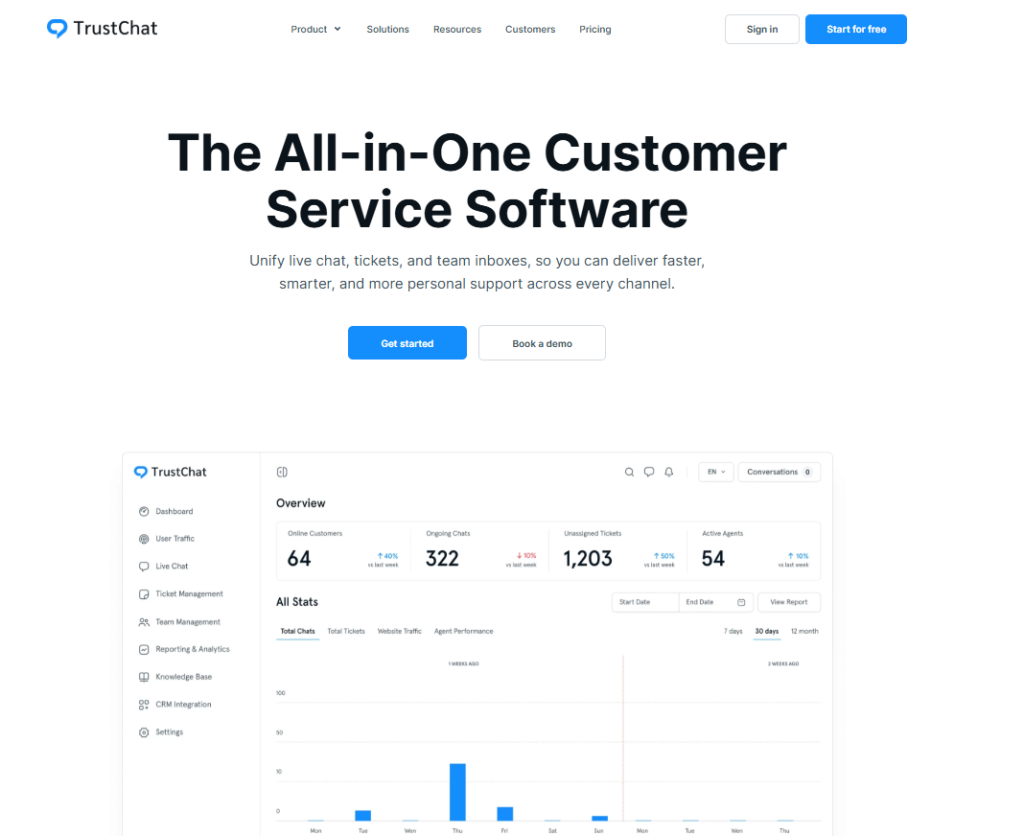
First, let’s talk about TrustChat: a hugely popular customer tool with premium-tier features.
If you are looking for a suitable help desk tool with AI chatbots, a live chat widget, and ticket routing, arguably, you won’t find a better option than TrustChat.
You can also use it specifically as a communication tool to improve cross-team collaboration.
The best part? It’s 100% free for new users; you can get access to all the features without spending a dollar!
No wonder 1000+ clients trust our tool to improve their cross-team collaboration and customer support!
What I Like About TrustChat
Here are some features of TrustChat that were enough to convince me:
- Workflow automation
- User-friendly interface
- Easy integration with third-party tools
- Cross-team collaboration
- Omnichannel support
What I Don’t Like About TrustChat
Some disadvantages of this tool include:
- No end-to-end encryption
- Limited third-party integrations
2. Microsoft Teams
Whether in your academic or professional career, you must have used Microsoft Teams at least once.
It is arguably the most common name when it comes to cross-team communication.
From video conferencing to cross-team conversations, Microsoft Teams has it all covered at an affordable price (it’s not free like TrustChat, but still worth it)
And with Skype being officially shut down, the popularity of Microsoft Teams is only going to rise.
What I Like About Microsoft Teams
If you choose it as your communication platform, you get access to the following features:
- Real-time collaboration
- One-on-one instant messaging
- File sharing
- Video conferencing
- Custom sections to organize your chats
What I Don’t Like About Microsoft Teams
Here are some things that they can certainly improve:
- The file-sharing feature is a bit confusing
- Their Windows application is very resource-intensive
- They offer a free version, but it is slow with limited features
3. Slack
Slack is another well-known communication platform that helps you keep all conversations and files organized.
Many companies today use this tool to connect employees and manage all conversations smoothly.
What I Like About Slack
Here are some of its features that impressed me:
- Multi-factor authentication for enhanced security
- Allows users to share and download files easily
- Multi-platform support
What I Don’t Like About Slack
Let’s discuss some attributes that it lacks:
- Doesn’t allow employees from different organizations to communicate with each other
- Multiple notifications are linked to each activity in every channel
- Complex user interface
4. Telegram
Even though Telegram is mostly used for communication at a personal level, you can also use it for cross-team conversations. It also allows you to share large files.
Just like TrustChat, it won’t cost anything; it is free to install and use!
However, many users and experts have raised concerns because of limited end-to-end encryption and security and privacy issues.
What I Like About Telegram
Here are some key features of Telegram:
- Allows you to create large groups with up to 200,000 members
- Large-sized file sharing
- Customized themes
- Free cloud storage
- Multi-platform support
What I Don’t Like About Telegram
Below, I have highlighted some cons of using this communication tool:
- Limited video call features
- Security and privacy concerns
- Limited end-to-end encryption
- Less popular than WhatsApp
5. Google Chat

If you are looking for a communication tool that easily integrates with Gmail/Google Workspace, Google Chat is your go-to tool.
Its user-friendly interface makes it easy to use even for non-technical users, and it makes team collaboration very simple.
Moreover, you can also use it to generate AI-based summaries, in case you are having difficulty understanding the context of the conversation.
But keep in mind that it supports fewer integrations, as compared to other tools such as Slack.
What I Like About Google Chat
Let’s discuss some key features of this popular tool:
- Strong security measures
- Simple and convenient to use
- Limited onboarding time
- Less expensive than Slack
- Supports integrations with Google Docs, Google Meets, Gmail, etc.
What I Don’t Like About Google Chat
Like all other options on this list, there are some downsides to using this tool:
- Lack of advanced features
- Limited third-party integrations
- Dependent on the Google Ecosystem
- You cannot invite external people to group chats
Why I Recommend TrustChat as a Customer Support Tool
Looking for a Rocket.Chat alternative that combines customer support and team communication?
TrustChat is the best choice for you.
As an advanced customer support tool, it centralizes customer queries and internal messages.
This allows your agents to respond quickly and offer support across multiple channels.
Arguably, what truly sets TrustChat apart from other tools is its pricing…and this might surprise you.
Right now, you get full access to all premium features at no cost. This means you can improve cross-team collaboration and customer support without spending a dollar.
Conclusion
The bottom line is this: team collaboration tools play a key role in improving internal team communication and workflow.
Before selecting the right tool that suits your business needs, it is important to analyze the pros and cons of each software…or else you might regret your decision later!